Export
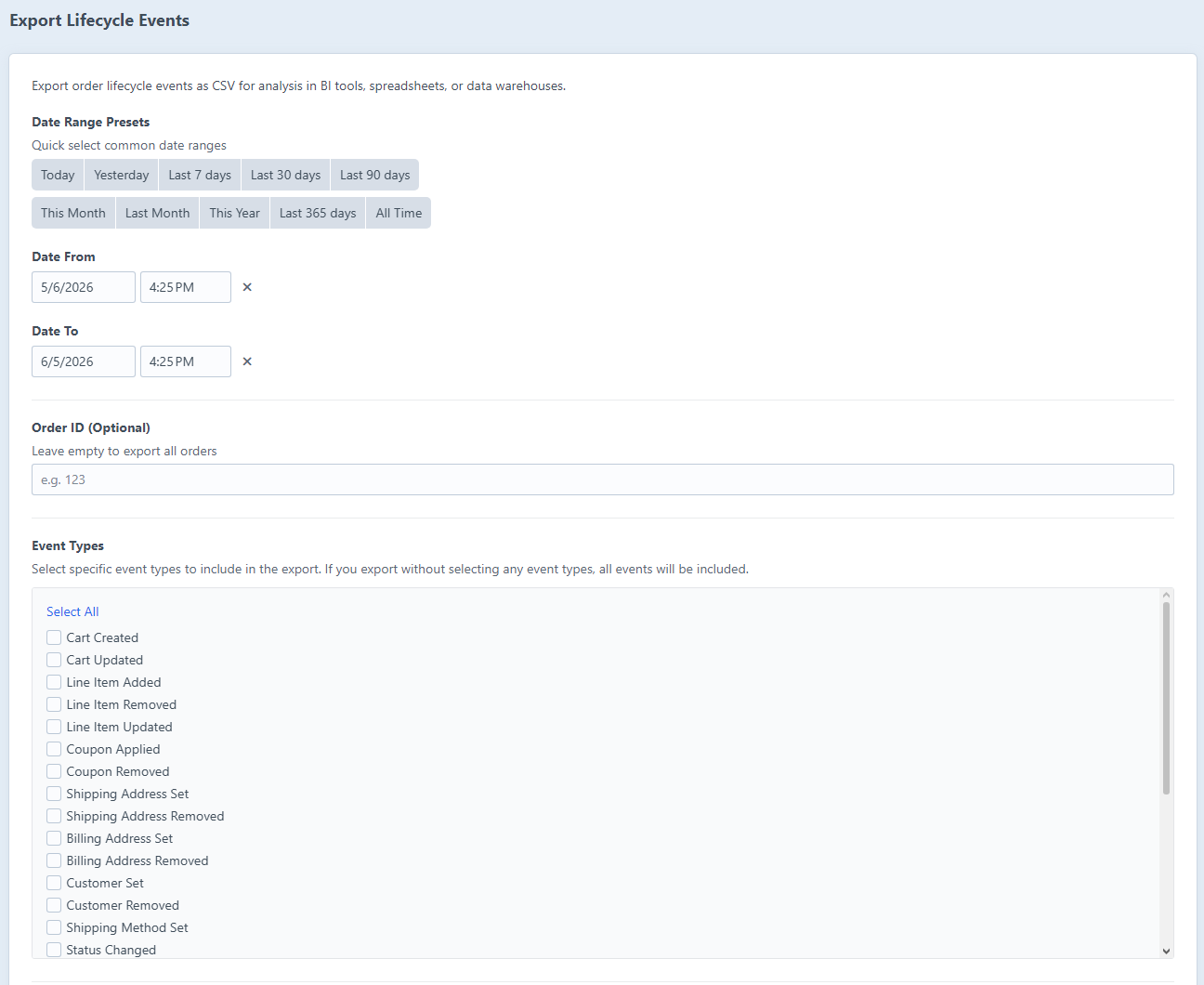
Order Lifecycle events can be exported as a CSV file for analysis in spreadsheets, BI tools, or data warehouses. You'll find the export feature under Order Lifecycle → Export in the Craft sidebar.
Date Range
Presets
Quick-select buttons cover the most common windows you'd need:
| Preset | Description |
|---|---|
| Today | Midnight to 23:59:59 today |
| Yesterday | Full previous day |
| Last 7 / 30 / 90 days | Rolling window from now |
| This Month | First to last day of the current calendar month |
| Last Month | Full previous calendar month |
| This Year | 1 January to today |
| Last 365 days | Rolling one-year window |
| All Time | Every event in the database (from 1 January 2000) |
Clicking a preset highlights it and fills in the Date From and Date To fields for you.
Custom Range
The Date From and Date To fields take any date and time. Set them manually to export a specific window.
Filtering
Order ID
Enter a specific order ID to export events for just that one order. Leave it blank to include all orders in the date range.
Event Types
Check individual event types to limit the export to those events. If none are selected, all event types are included.
The event types are presented as a grouped checkbox list inside a semantic <fieldset>, so the whole group is announced together by assistive technology.
Columns
The Columns to Export table controls which fields appear in the CSV, and in what order. Toggle each column on or off with its lightswitch, and drag rows by their handle to reorder columns.
| Column | Description |
|---|---|
| Log ID | Internal log entry ID |
| Date/Time |
dateCreated timestamp |
| Order ID | Commerce order ID |
| Order Number | Commerce order number (hash) |
| Event Type |
Event type string (e.g. orderCompleted) |
| Message | Auto-generated or custom event description |
| Customer Email | Email address on the order at export time |
| Order Status | Current order status name |
| Total Price | Order total at export time |
| Currency | Order currency code |
| Payload (JSON) |
The payload |
Downloading
Click Export CSV to download the file. It's named lifecycle-events-YYYY-MM-DD-HHmmss.csv.
Console Alternative
Large exports are better done via the CLI, to avoid HTTP timeouts:
php craft order-lifecycle/logs/statsFor a programmatic export, query the orderlifecycle_logs table directly through Craft's database layer:
use craft\db\Query;

$rows = (new Query())
    ->select(['id', 'orderId', 'type', 'message', 'dateCreated'])
    ->from('{{%orderlifecycle_logs}}')
    ->where(['>=', 'dateCreated', '2024-01-01 00:00:00'])
    ->orderBy(['dateCreated' => SORT_ASC])
    ->all();
Related Documentation
- Statistics - Store-wide metrics dashboard
- Configuration - Log pruning and maintenance settings
- Services API - Programmatic access to log data