Creating Bundles
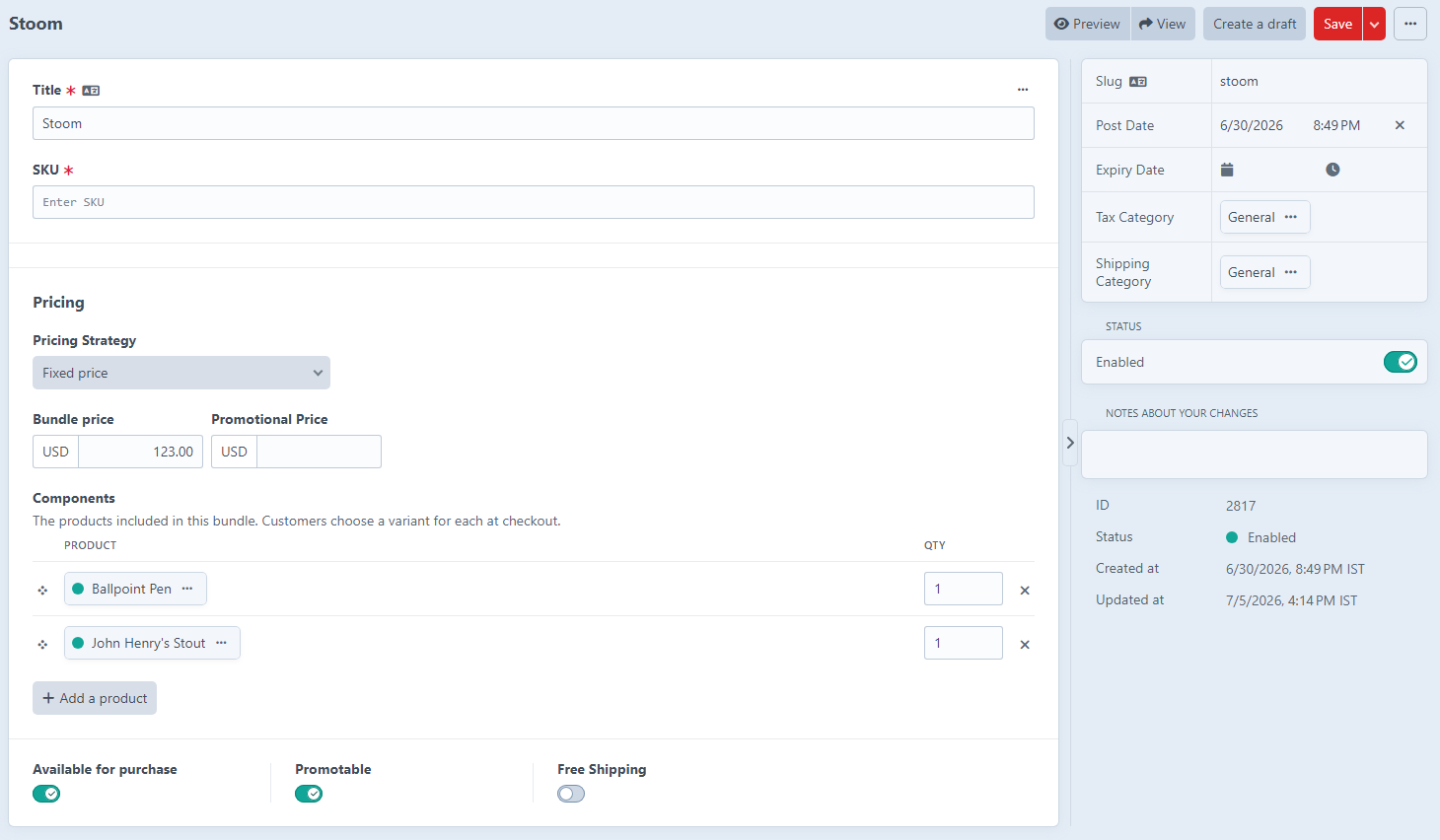
Create bundles at Bundles → Bundles → New bundle (pick a type if you've got more than one set up). Bundles use Craft's native element editor, so you get live preview, drafts, revisions and autosave same as any other element.
Fields
- Title: the bundle's name (also its default line-item description).
- SKU: leave blank to auto-generate from the type's SKU format or the slug.
- Slug: auto-generated from the title; editable when Show the Slug field is on.
- Pricing: see Pricing.
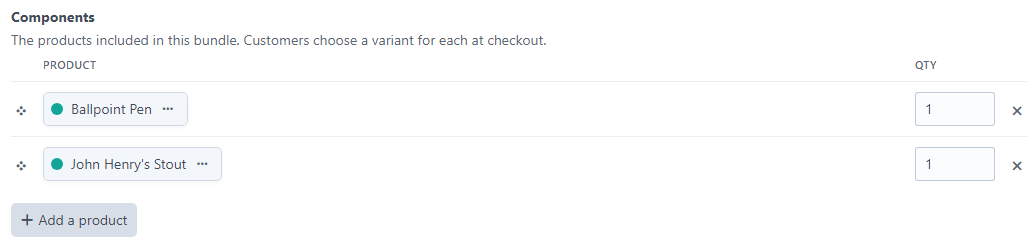
- Components: add the products in the bundle, each with a quantity. The customer chooses the variant per product at checkout.
- Sidebar: status, post/expiry dates, and (if added to the layout) Available for purchase / Promotable / Free shipping.
Components
Use Add a product to add each component. Pick a Commerce product and set the quantity needed per bundle. You don't pick a variant here; that's left to the customer when they add the bundle to the cart (see Cart & Variant Selection).
Availability
A bundle is purchasable only when:
- it's enabled and within its post/expiry window, and
- every component has at least one in-stock, purchasable variant.
Preview & View
When the bundle type has front-end URLs, the editor shows Preview (token-based, works no matter the status) and View (the live URL) buttons, and the index shows a link column.